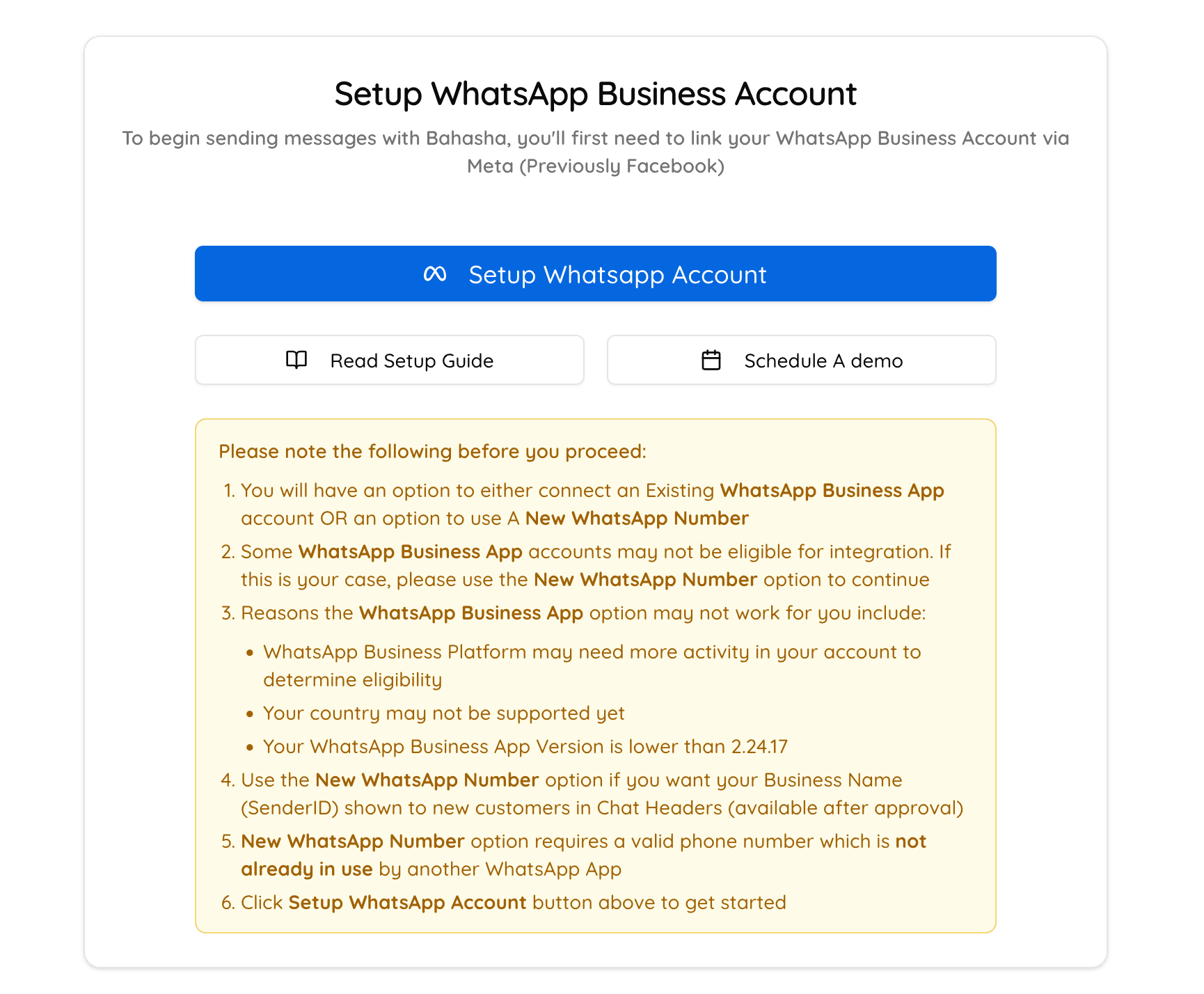
We’re excited to announce that Bahasha now supports two flexible onboarding options for connecting your business to WhatsApp messaging at scale:
Connect an existing WhatsApp Business App account
Register a new dedicated number
Whether you're an established business already using the WhatsApp Business App or just starting out, Bahasha makes it easy to get started—no switching required.
Both onboarding methods are fully supported and offer the same powerful features once connected:
WhatsApp Business App Onboarding If you’re already using the WhatsApp Business App on your mobile device, you can now connect that number to Bahasha. You’ll still be able to use the Business App as usual on your phone, while Bahasha lets you message at scale, with AI automations and advanced analytics
Dedicated Phone Number New to WhatsApp Business or prefer a dedicated line? You can obtain a dedicated phone number and link it to Bahasha to begin messaging at scale.
Simply click the “Setup WhatsApp Channel” button from your Bahasha dashboard—we’ll guide you through the right flow based on your setup.
Bahasha allows businesses to connect multiple WhatsApp phone numbers, and each number can be onboarded using either method—Business App or Embedded Signup.
This means you can:
Keep using the existing WhatsApp Business App if you wish to use the same number
Add a new number for campaigns, customer support, or specific teams
Manage all messaging centrally while maintaining flexibility across numbers
Retain Your Existing App No need to migrate or deactivate your Business App—you can continue using it on your phone as usual.
Seamless Setup Onboarding takes just a few clicks using a familiar “Setup WhatsApp Channel” flow.
Scalable Messaging Once connected, use Bahasha to send bulk messages, schedule campaigns, and automate replies.
Display Name Support Upon successful business verification with Meta, you’ll be able to use a verified display name for your number—enhancing brand visibility and trust.
Use Business App Onboarding if you're already using WhatsApp for business on your phone and want to keep it that way.
Obtain a new number if you want to set up a dedicated line for Bulk WhatsApp and automations.
Either way, Bahasha ensures a fast, flexible onboarding experience—with no compromise on features. Upon business verification, the new number will get a display name to improve brand visibility and trust.
Register for a Bahasha account to get started