Bahasha now supports calling on the WhatsApp Business Platform. Your team can place and answer real voice calls with customers.
Calling is optional and off by default. You turn it on per WhatsApp number, and you stay in full control of who can reach you.
Calling is enabled per WhatsApp number, turn it on for the numbers you want.
Once enabled and incoming calls allowed, incoming calls ring every online teammate with reply access to that number. The first agent to answer takes the conversation.
Every call — who answered, duration and outcome — is saved in Call history.
Note: Meta requires a messaging limit of at least 2,000 unique customers per day before calling can be enabled on a number.
Open a WhatsApp number Channel → Calls → Settings, then toggle calling on.
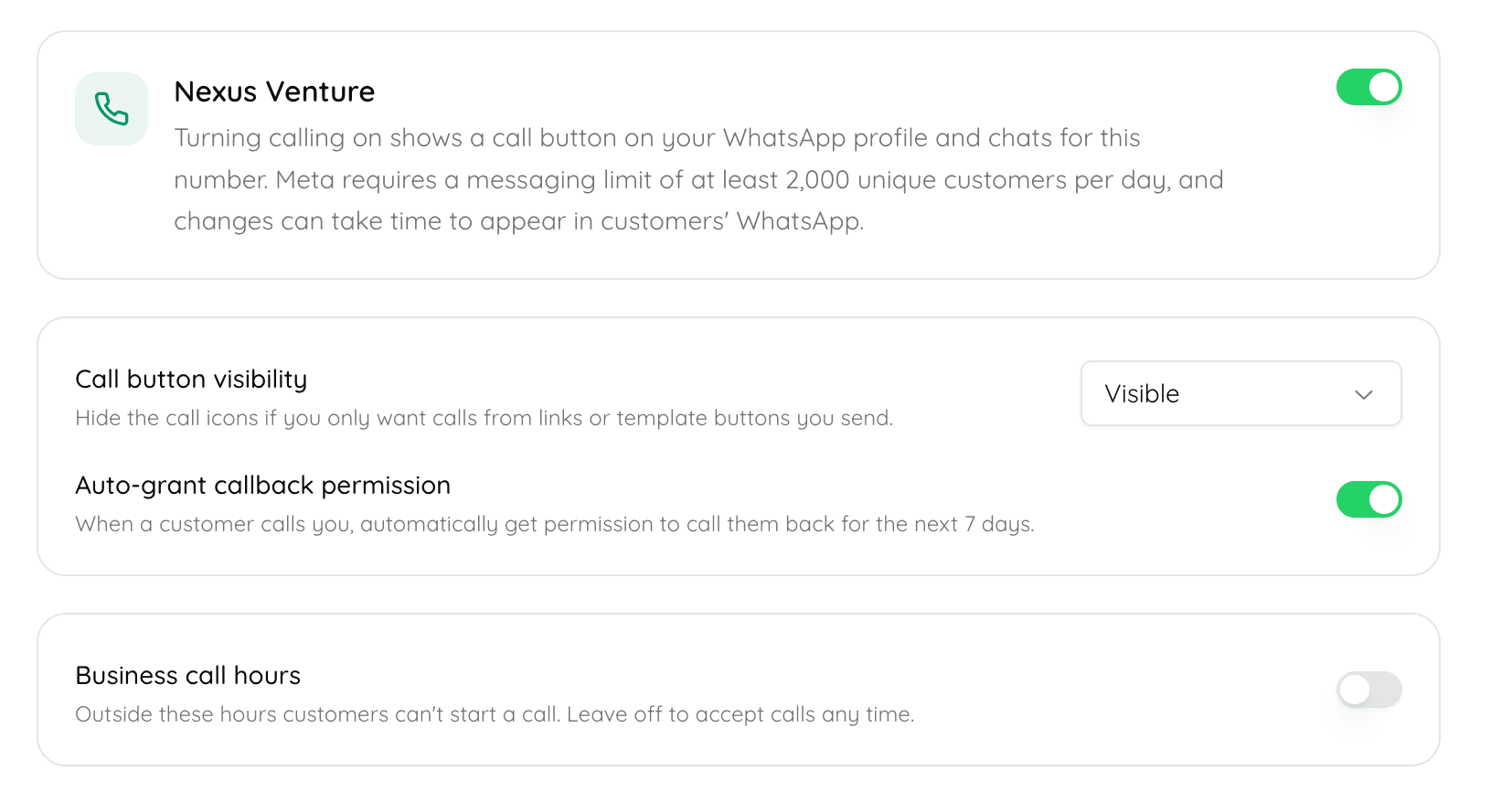
Settings tab with the enable toggle and options panel
From this one screen you control the entire calling experience for that number.
Your business is in full control of whether — and how — customers can call you. There are two levers in Settings:
Visible — a call button appears on your WhatsApp profile and in chats, so any customer can call you.
Hidden — the call icons are removed. Customers can then only call you through buttons you send them, letting you open calling to select customers only.
Set the days and hours you accept calls. Outside those hours, customers can't start a call. Leave it off to accept calls any time.
You can open calling broadly or narrowly:
Everyone: keep the call button visible, and any customer can tap to call.
Select customers only: hide the call icons, then add a "Call on WhatsApp" button to specific:
Message templates, or
Free-form messages (using the interactive button), sent within an open customer-service window.
This lets you place calling exactly where you want it — for VIP customers, specific campaigns, or particular conversations — instead of exposing it to everyone.
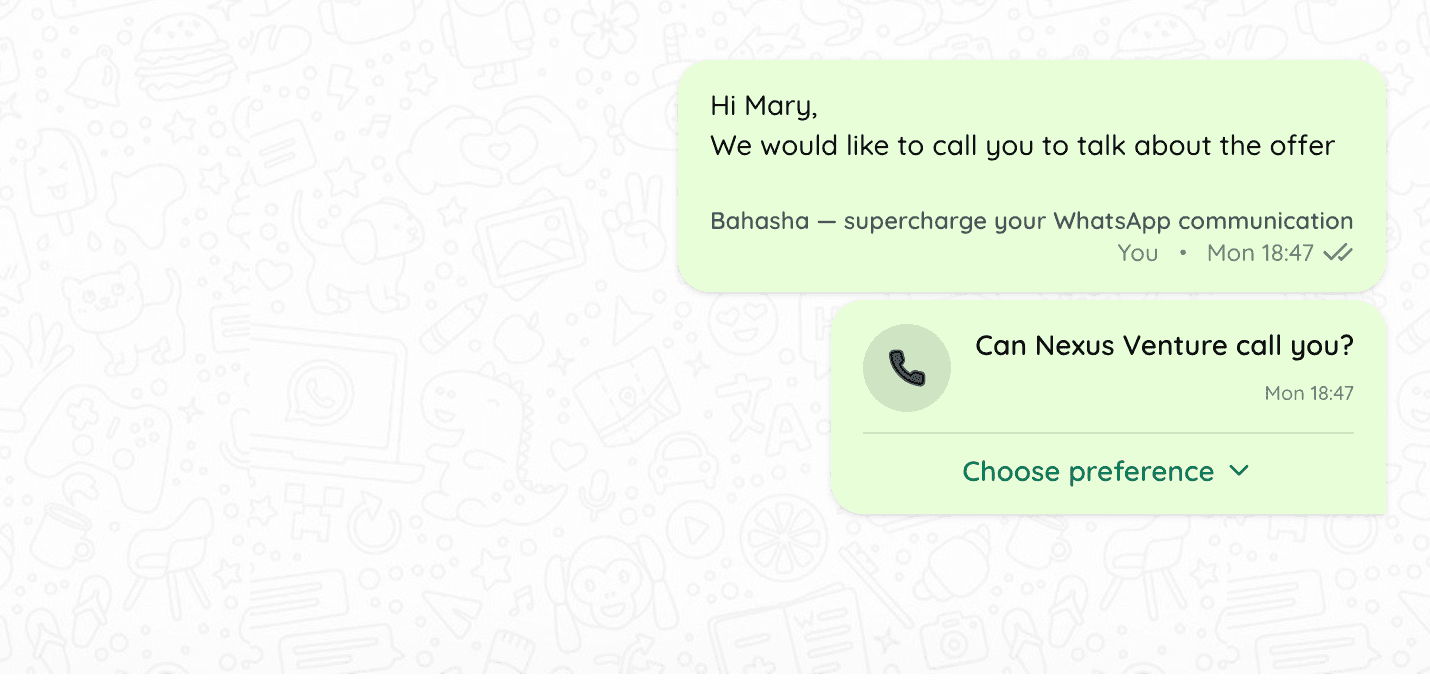
Call on WhatsApp interactive button in a chat
To call a customer first, WhatsApp requires their permission. You request it by sending a call-permission request, either as:
an approved template with a call-permission request, or
a free-form message with the permission button, inside an open 24-hour customer-service window.
Once the customer grants permission, your team can call them.
💡 Tip: The cheapest call is the one your customer starts. Instead of always requesting permission to call out, add a "Call on WhatsApp" button and invite customers to call you
Recording and transcription are available and configured per number in Settings → Recording & transcription:
Record calls — save call audio, downloadable from call history afterwards.
Transcribe calls — generate a text transcript, viewable in call history.
Announcement language & purpose — WhatsApp plays a short spoken announcement to both people before capture begins; you choose the language and the stated purpose.
When on, these apply automatically to every call on the number — there's no prompt during the call.
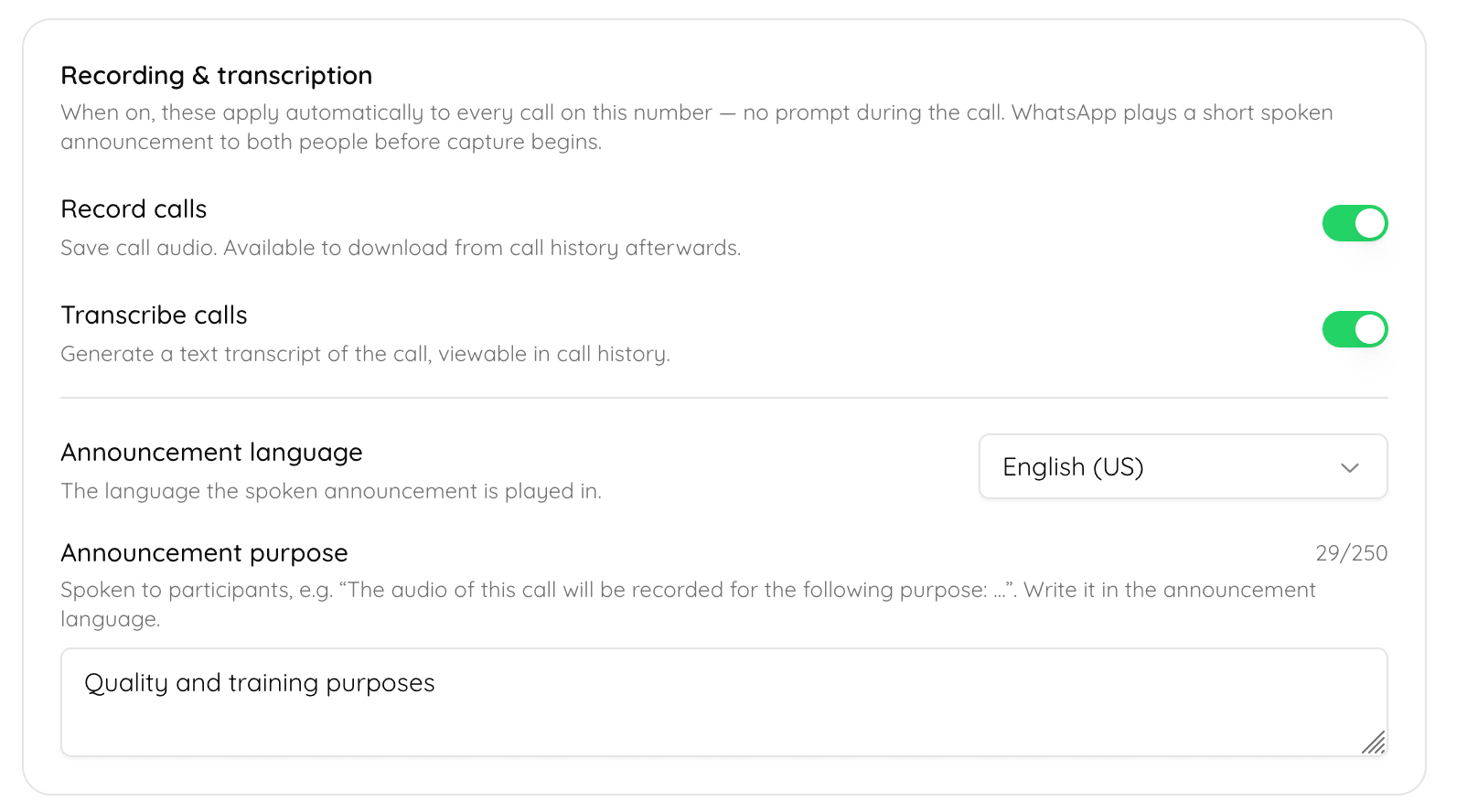
Enable Recordings and transcriptions
AI agents can pick up calls — currently available for select accounts, with general availability coming soon. This lets you answer more calls automatically, without an agent on the line. Talk to us if you'd like early access.
Calling involves two separate charges:
Charge | Who bills it | How it's calculated |
Meta charges | Meta / WhatsApp | Depends on the location of the person you're calling, billed in 6-second pulses. |
Bahasha platform charges | Bahasha | Billed per minute, rounded up to the next minute. |
Refer to our pricing page for up to date pricing
Encourage customers to call you instead of you calling out. Add "Call on WhatsApp" buttons to your message templates and free-form interactive messages so customers can reach you in one tap — cutting down on outbound calls and the charges that come with them.
Calling is optional and enabled per number.
You control access with call button visibility and call hours.
Open calling to everyone (visible button) or select customers (hidden icons + "Call on WhatsApp" buttons on templates / free-form messages).
Calling a customer first requires their permission, sent via template or free-form message in an open service window.
Recording & transcription are available and download/view from call history.
AI agents can answer calls for select accounts — general availability soon.
You pay Meta (by receiver location, 6-second pulses) and Bahasha (per minute).